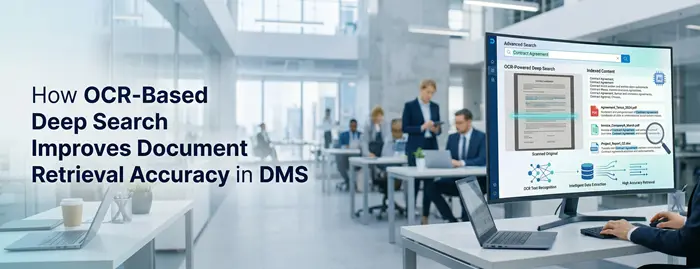
How OCR-Based Deep Search Improves Document Retrieval Accuracy in DMS

ML GLOBTECH
Jun 6, 2026
Introduction
Suppose you need to get a customer contract signed three years ago. You know the document is somewhere in your repository, but you do not remember the file name, the folder location, or even the exact date it was created.
This is common in many organizations. Employees waste precious time searching through folders, opening many files, and manually scanning documents for a single piece of information.
As document volumes continue to grow, traditional search methods become less effective. This is where OCR-based deep search transforms document management.
Organizations can now instantly search for information that’s hidden within scanned PDFs, contracts, invoices, reports, forms and other business documents when combining Optical Character Recognition (OCR) technology with intelligent search. Users no longer have to search by file names or metadata alone but can search the actual content in documents.
Let’s discuss the advantages of the OCR-based deep search in terms of document retrieval accuracy and why it has become an integral part of modern document management systems.
The Challenges of Traditional Document Search
Most organizations store thousands—or even millions—of documents across departments, projects, and business processes.
Traditional document search methods typically rely on:
File names
Folder structures
Tags and metadata
Manual categorization
While these methods work to some extent, they often create challenges such as:
Documents stored in the wrong folder
Missing or incomplete metadata
Inconsistent naming conventions
Scanned PDFs that cannot be searched
Time wasted opening multiple files
For example, if an employee needs to find an invoice containing a specific purchase order number, searching by file name may not be enough. If the number exists only within the document itself, traditional search tools may never find it.
As document repositories grow larger, these limitations become increasingly costly and frustrating.
What Is OCR-Based Deep Search?
OCR(Optical Character Recognition) is a technology that extracts text from images or scanned documents, allowing those files to become fully searchable. When you scan a contract, receive a handwritten note, or work with an image-based file, OCR recognizes the text within those files and converts it into a digital format that can be indexed and searched. This means that even documents that were previously non-editable and difficult to search through can now be accessed with a simple keyword search. Whether it's a scanned contract, invoice, or handwritten memo, OCR ensures that every piece of text is searchable and discoverable, making your document management system far more powerful and efficient.
How OCR Deep Search Works in Our Document Management System
The OCR-based deep search process runs automatically in the background, allowing users to search document content without any manual intervention.
Step 1: Document Upload
Users upload documents such as:
Scanned PDFs, Images, Contracts, Invoices, Reports, Forms, Other business documents.
The system securely stores the document and prepares it for processing.
Step 2: OCR Text Extraction
When a document is uploaded, the system analyzes its content.
For documents that already contain selectable text, the content is extracted directly.
For scanned documents and image-based files, the system uses OCR technology powered by the open-source Tesseract OCR engine to recognize and extract text from the document.
This process converts non-searchable documents into searchable content, allowing information hidden within scanned files to be discovered later through search.
Step 3: Content Indexing
After the text has been extracted, the system automatically indexes the content using Lucene.NET, a powerful search library designed for fast and accurate document retrieval.
The extracted text is processed and added to the search index, enabling efficient full-text searches across the entire document repository.
Step 4: Deep Search Availability
Once indexing is complete, users can search for:
Keywords, Phrases, Customer names, Contract numbers, Invoice references, Product codes, Compliance terms, Any text contained within the document.
The search engine scans the indexed content and returns relevant documents that contain the requested information.
Step 5: Fast Document Retrieval
Users can review search results instantly and open matching documents directly from the system.
The built-in document preview functionality allows users to verify document content without downloading files, making document retrieval faster and more efficient.
Supported OCR Languages
Our OCR engine currently supports multiple languages, including:
English, Spanish, French, Arabic, Turkish, Polish, Russian, Japanese, Korean, Chinese.
This enables organizations operating in multilingual environments to search and retrieve information across a wide range of document types and languages.
Important Note About Document Indexing
To ensure optimal system performance, document indexing runs in the background after upload.
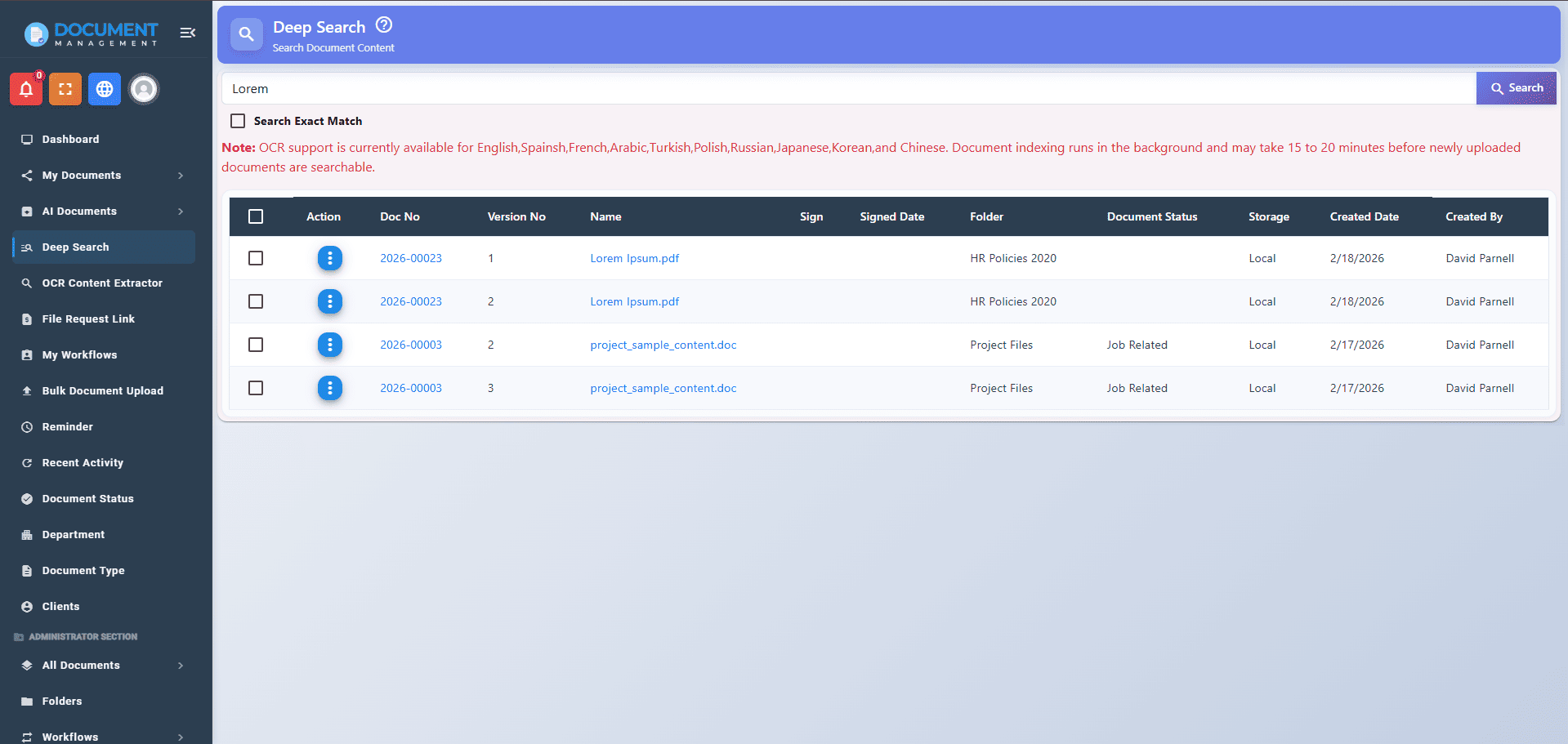
Depending on document volume and system workload, newly uploaded documents may take approximately 15 to 20 minutes before they become fully searchable through OCR-based deep search.
Real-World Example: Finding a Contract in Seconds
Consider a legal department managing over 50,000 contracts accumulated over several years.
A client requests a copy of an agreement containing a specific clause related to data privacy.
Without OCR-based deep search, employees may need to:
Search multiple folders
Open dozens of contracts
Review each document manually
This process could take hours.
With OCR-based deep search, users simply enter a phrase from the clause or the client's name into the search bar.
The system instantly returns all matching documents, allowing the legal team to locate the required contract within seconds.
This not only saves time but also improves customer service and operational efficiency.

Key Benefits of OCR-Based Deep Search
Faster Document Retrieval
Employees spend less time searching and more time focusing on productive work.
Improved Search Accuracy
Search results are based on actual document content rather than just file names or metadata.
Increased Productivity
Teams can quickly access the information they need without manually reviewing large numbers of files.
Better Knowledge Management
Critical business information becomes easier to discover and reuse across the organization.
Reduced Operational Costs
Less time spent searching for documents translates into lower administrative costs and improved efficiency.
Enhanced User Experience
Users can search naturally using names, phrases, document numbers, or keywords instead of navigating complex folder structures.
OCR Search vs Traditional File Search
Traditional SearchOCR-Based Deep SearchSearches file namesSearches full document contentLimited search resultsComprehensive search resultsRequires manual file reviewInstant retrievalDifficult for scanned PDFsFully searchable scanned documentsTime-consumingFast and efficient
The difference becomes even more significant as document repositories continue to grow.
Industry Use Cases
Legal Firms
Locate contracts, agreements, case files, and legal correspondence quickly.
Healthcare Organizations
Search patient records, consent forms, insurance documents, and compliance records.
Human Resources
Find employee records, policy acknowledgments, onboarding forms, and training documents.
Finance Departments
Retrieve invoices, tax documents, purchase orders, and audit records instantly.
Manufacturing Companies
Search quality records, SOPs, inspection reports, and certification documents.
Quality Management Systems (QMS)
Locate CAPA reports, audit findings, SOPs, corrective actions, and compliance records during audits and inspections.
Compliance and Audit Benefits
During audits, organizations are often required to provide supporting documentation quickly.
Searching manually through thousands of files can delay audits and increase compliance risks.
OCR-based deep search helps organizations:
Locate records instantly
Improve document traceability
Support audit readiness
Reduce compliance risks
Maintain better document control
For organizations following standards such as ISO 9001, GDPR, HIPAA, or industry-specific regulations, quick access to documentation can significantly improve audit performance.
The Future of Document Retrieval
As organizations continue their digital transformation journey, document repositories will only become larger and more complex.
Modern document management systems are evolving beyond simple keyword searches by incorporating:
AI-powered search
Semantic search
Natural language queries
Intelligent document classification
OCR serves as the foundation for these advanced search capabilities, making business information more accessible and actionable than ever before.

Why Businesses Are Adopting OCR-Based Deep Search
Organizations are generating more documents than ever before. Contracts, invoices, reports, forms, and compliance records continue to accumulate year after year.
Without effective search capabilities, valuable information becomes difficult to access.
OCR-based deep search helps organizations:
Improve operational efficiency
Reduce document retrieval time
Increase employee productivity
Strengthen compliance efforts
Support digital transformation initiatives
For many businesses, the ability to find the right document in seconds rather than minutes or hours delivers significant long-term value.
Conclusion
Finding information should not be the most time-consuming part of managing documents.
OCR-based deep search enables organizations to unlock the full value of their document repositories by making every document searchable, discoverable, and accessible.
By combining OCR technology with intelligent indexing, businesses can improve document retrieval accuracy, reduce manual effort, enhance compliance, and increase productivity across departments.
As document volumes continue to grow, OCR-powered search is no longer just a convenience—it is becoming an essential capability for organizations that want to manage information efficiently and make better business decisions.