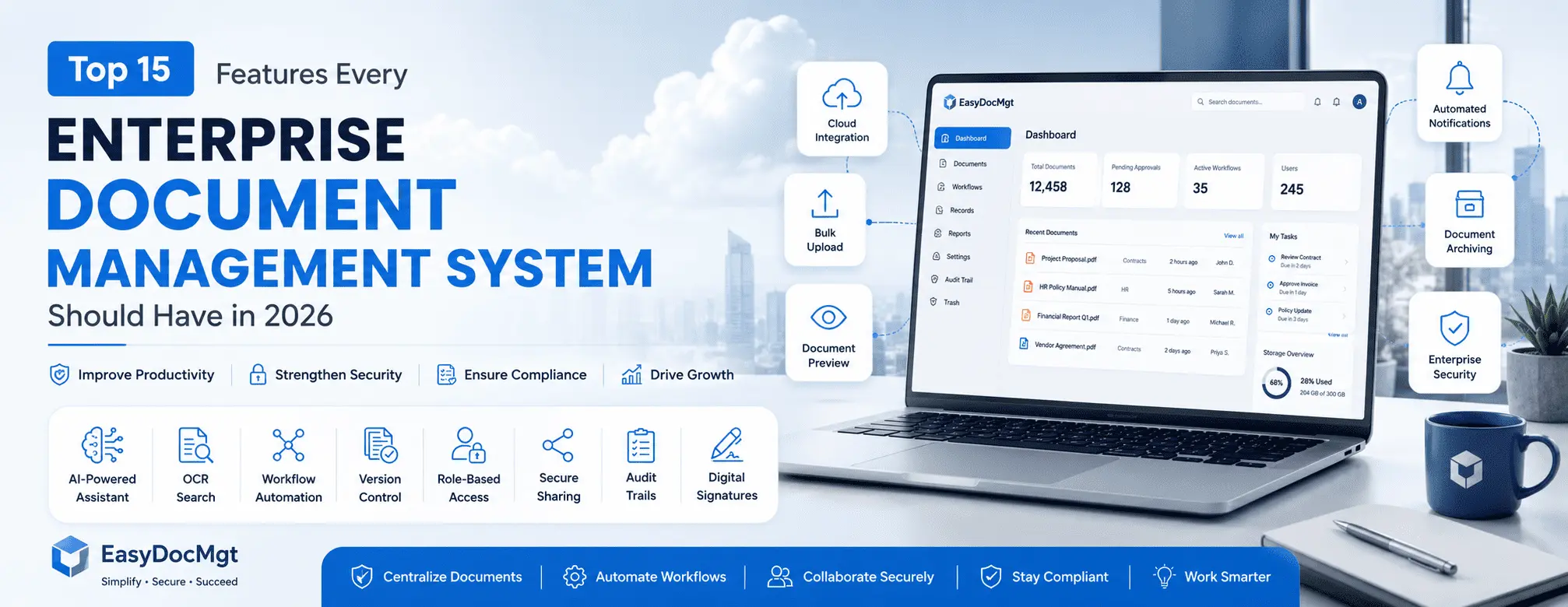
Top 15 Features Every Enterprise Document Management System Should Have in 2026

ML GLOBTECH
Jul 7, 2026
As organizations scale, they don't just generate more revenue—they generate tens of thousands of vendor contracts, compliance records, engineering schematics, and HR files.
For a time, legacy on-premise file servers or scattered cloud folders might seem sufficient. But inevitably, a breaking point is reached. Finding a single critical document becomes a multi-department treasure hunt. Approval bottlenecks stall operations. "Shadow IT" emerges as frustrated employees email sensitive files to their personal devices just to get work done.
Choosing an Enterprise Document Management System (EDMS) is no longer just about buying digital storage space. It is a strategic investment in an operational engine that actively protects, routes, and retrieves your most valuable corporate data.
However, evaluating these platforms can be overwhelming. Many solutions look identical on a marketing spec sheet, but behave very differently when deployed across a 500-person organization.
In this guide, we bypass the standard marketing feature-lists. Based on our experience architecting secure document solutions for highly regulated industries, we’ve broken down the 15 essential features an enterprise-grade EDMS must have.
To help you make an informed procurement decision, we evaluate each feature using a realistic, consultative framework:
Why it matters: The core business value.
What happens without it: The operational and security risks of the status quo.
Which businesses benefit most: The specific industries or departments that require this feature.
Implementation considerations & trade-offs: The real-world challenges, migration hurdles, and user-adoption friction you need to prepare for.
1. AI-Powered Document Assistant
Why it matters:
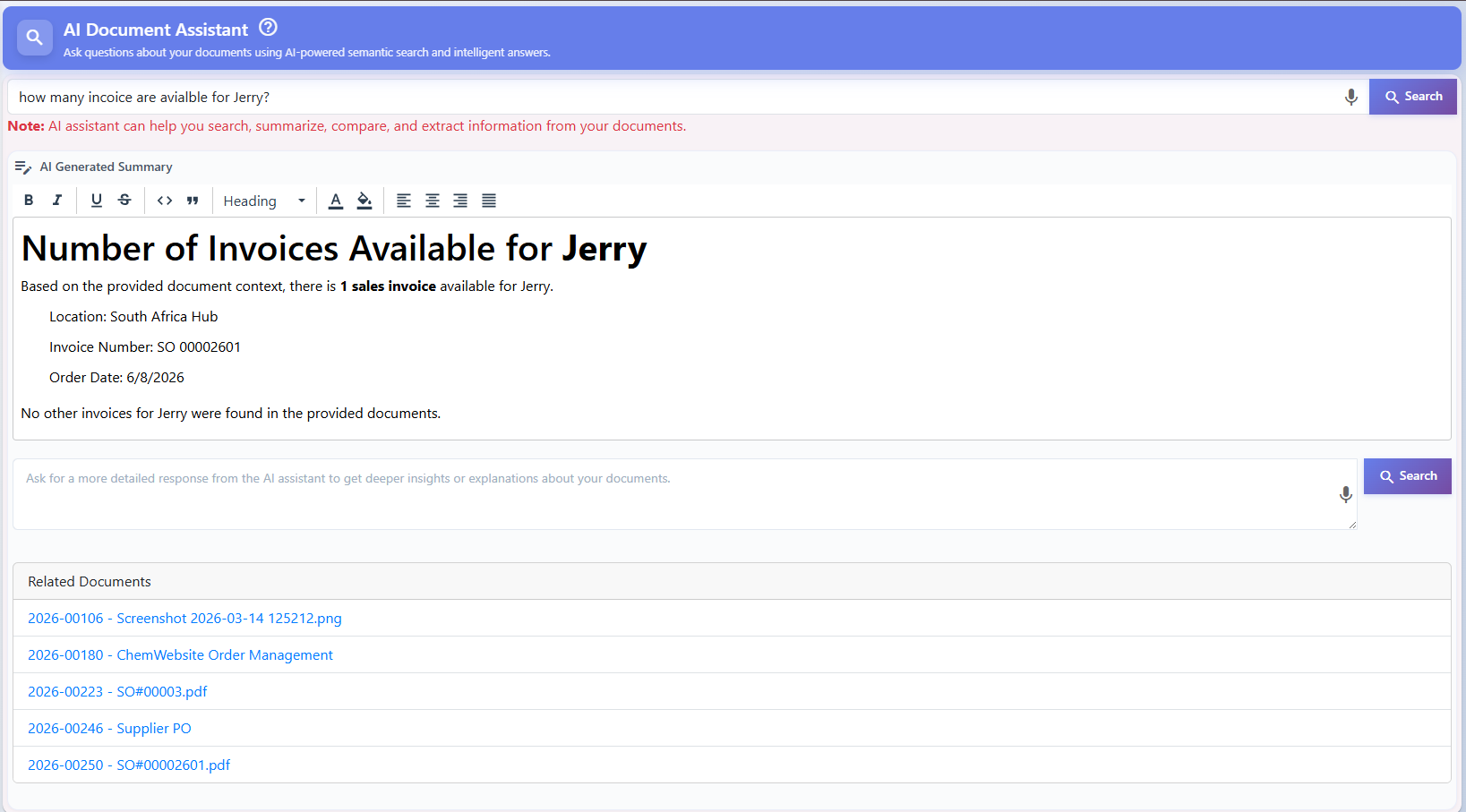
An AI-powered Document Assistant transforms a static digital repository into an active knowledge base. It allows employees to ask questions in natural language and receive instant, context-aware answers summarized directly from your authorized corporate files.
What happens without it:
Employees spend up to 20% of their workweek manually opening folders, scanning lengthy PDFs, and hunting for specific clauses, severely draining overall productivity and delaying critical decisions.
Which businesses benefit most:
Organizations with massive, complex technical documentation. This is especially valuable for engineering firms or SaaS companies where staff need to rapidly parse highly technical specifications or feature documentation without reading hundreds of pages.
Implementation considerations & trade-offs:
AI features require exceptionally clean data permissions. If your underlying folder access controls are poorly configured, the AI might surface confidential information to unauthorized users. It also requires a minimal, intuitive interface—if the AI tool is buried under complex navigation, user adoption will fail.
2. Optical Character Recognition (OCR)
Why it matters:
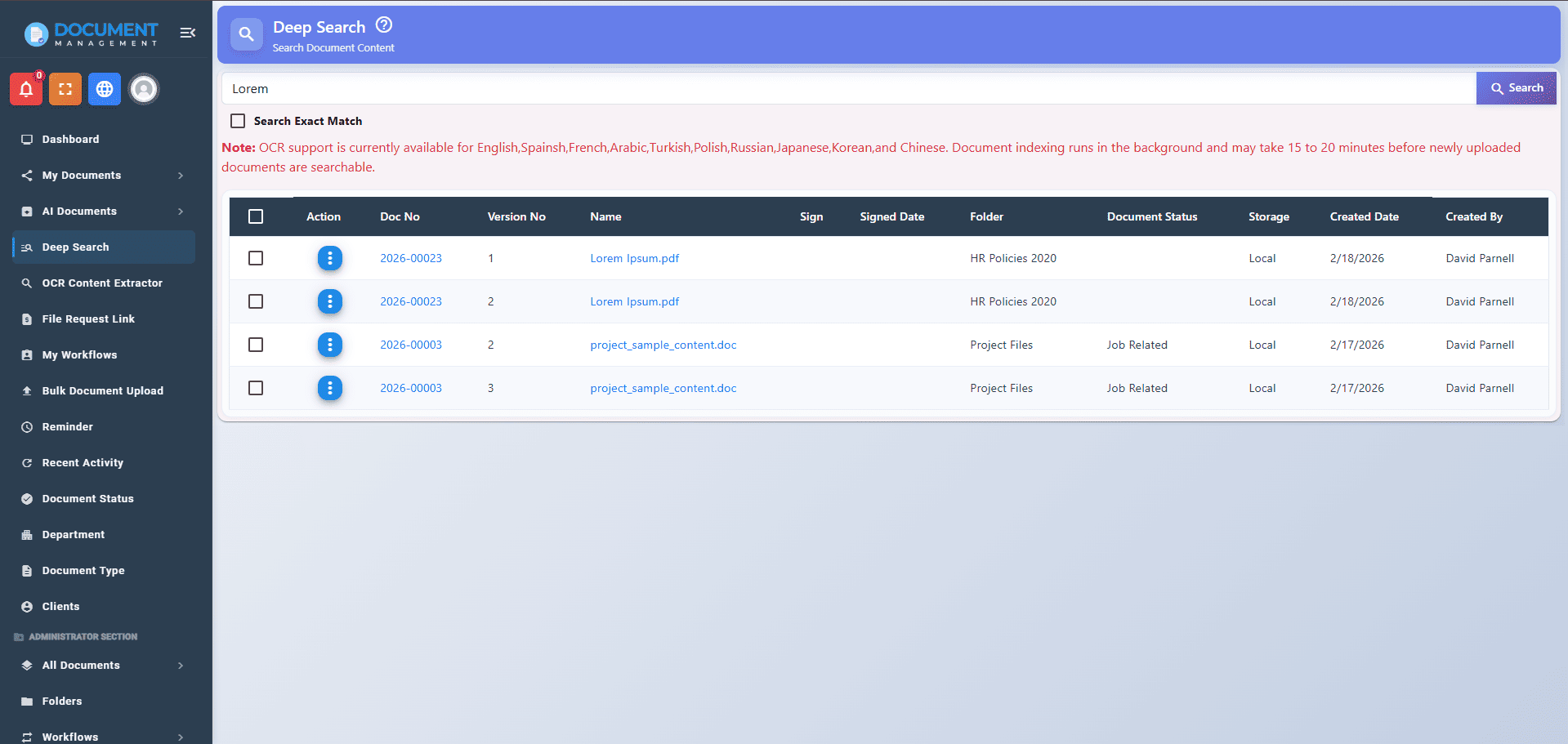
Optical Character Recognition (OCR) converts flat, scanned images (like legacy paper contracts or TIFF files) into machine-readable, fully searchable text. You can search inside the document content rather than relying on file names.
What happens without it:
Scanned files become digital black holes. If a user doesn't know the exact file name or if the document was poorly tagged upon upload, the information inside is effectively lost and requires manual, document-by-document visual searches.
Which businesses benefit most:
Industries transitioning from paper-heavy processes, such as legal firms, healthcare providers, and logistics companies that handle thousands of scanned invoices, purchase orders, and legacy contracts.
Implementation considerations & trade-offs:
OCR processing can consume significant server resources, potentially slowing down initial upload times for massive bulk imports. The accuracy of OCR also degrades with low-quality, blurry, or handwritten scans, meaning some manual verification is still necessary for older archives.
3. Document Version Control
Why it matters:
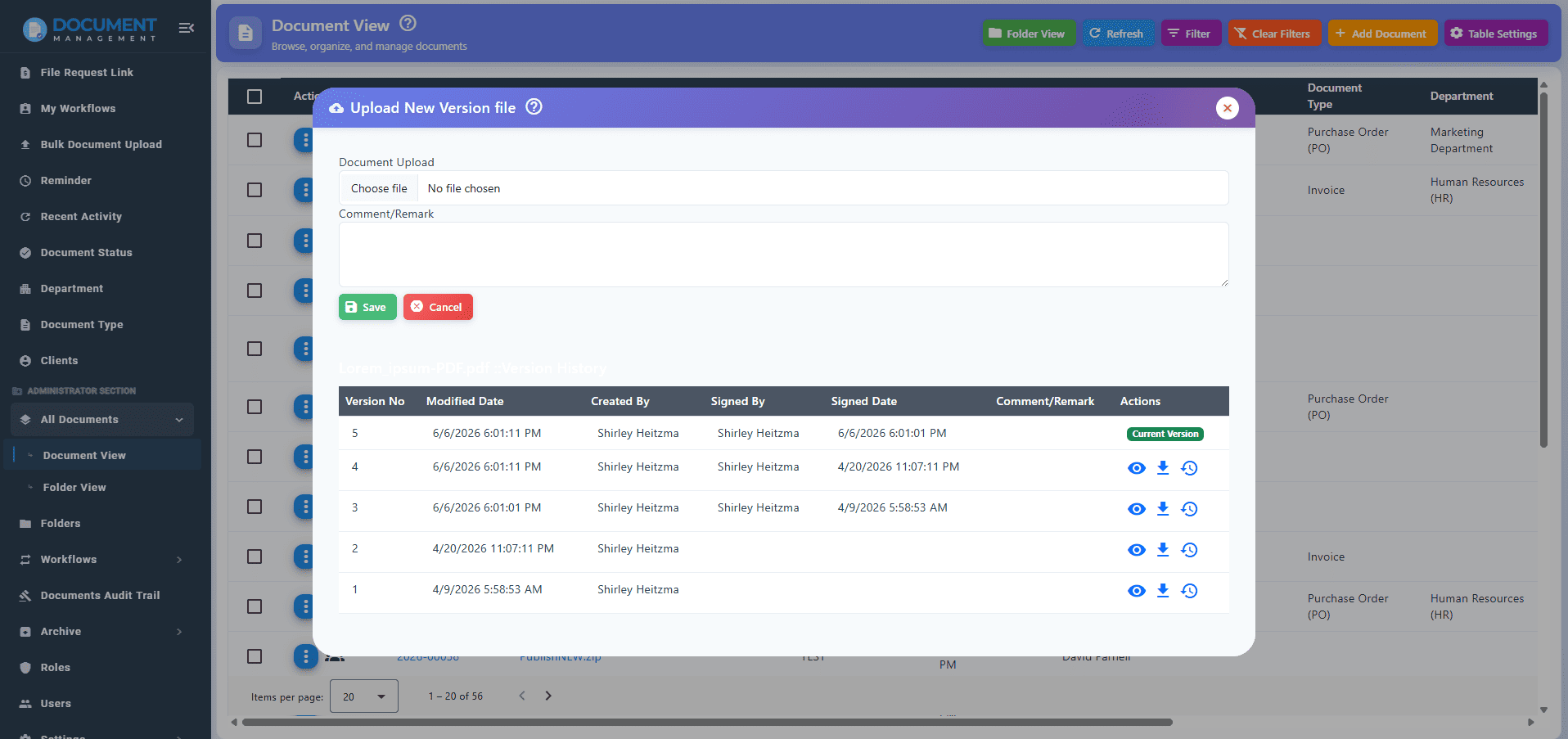
Document Version Control automatically records every revision made to a file, ensuring employees always access the latest approved version while securely archiving previous iterations in a chronological ledger.
What happens without it:
Multiple conflicting copies (e.g., "Policy_Final_v3.pdf") circulate via email. Employees accidentally work off outdated specs, leading to compliance violations, manufacturing errors, or legal disputes.
Which businesses benefit most:
Companies running comprehensive Quality Management Systems (QMS). Managing audits, Corrective and Preventive Actions (CAPA), and complex compliance workflows relies entirely on strict version control to pass external regulatory inspections.
Implementation considerations & trade-offs:
Transitioning to strict version control requires a cultural shift. Users accustomed to saving files to their personal desktops must be trained to work exclusively within the centralized platform. The interface must be straightforward; if version histories are hard to read, users will revert to renaming files manually.
4. Workflow Automation & Document Approval
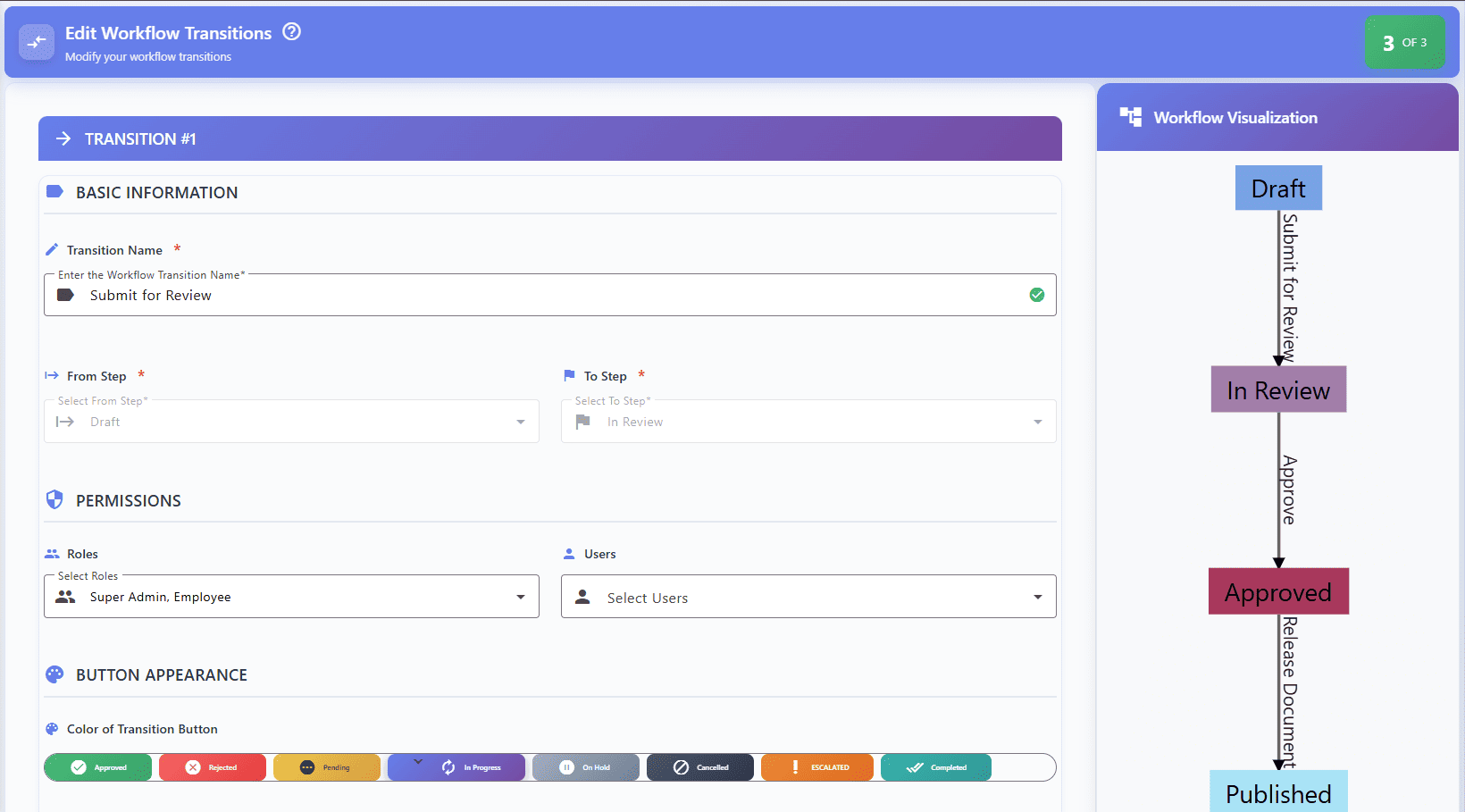
Why it matters:
Workflow Automation & Document Approval systems systematically route files to the correct stakeholders based on predefined rules, sending automated reminders and tracking real-time status.
What happens without it:
Approvals stall in crowded email inboxes. Accountability vanishes, as it becomes impossible to pinpoint who is holding up a contract or whether a critical HR policy was ever officially signed off.
Which businesses benefit most:
Highly regulated sectors like finance, pharmaceuticals, and manufacturing, where strict Standard Operating Procedures (SOPs) dictate that multiple specific roles must sign off on a document before it goes live.
Implementation considerations & trade-offs:
Over-engineering is a common pitfall. If administrators create overly complex workflows with too many mandatory review stages, it slows business agility. Workflows should be kept as streamlined as possible to prevent operational gridlock.
5. Role-Based Access Control (RBAC)
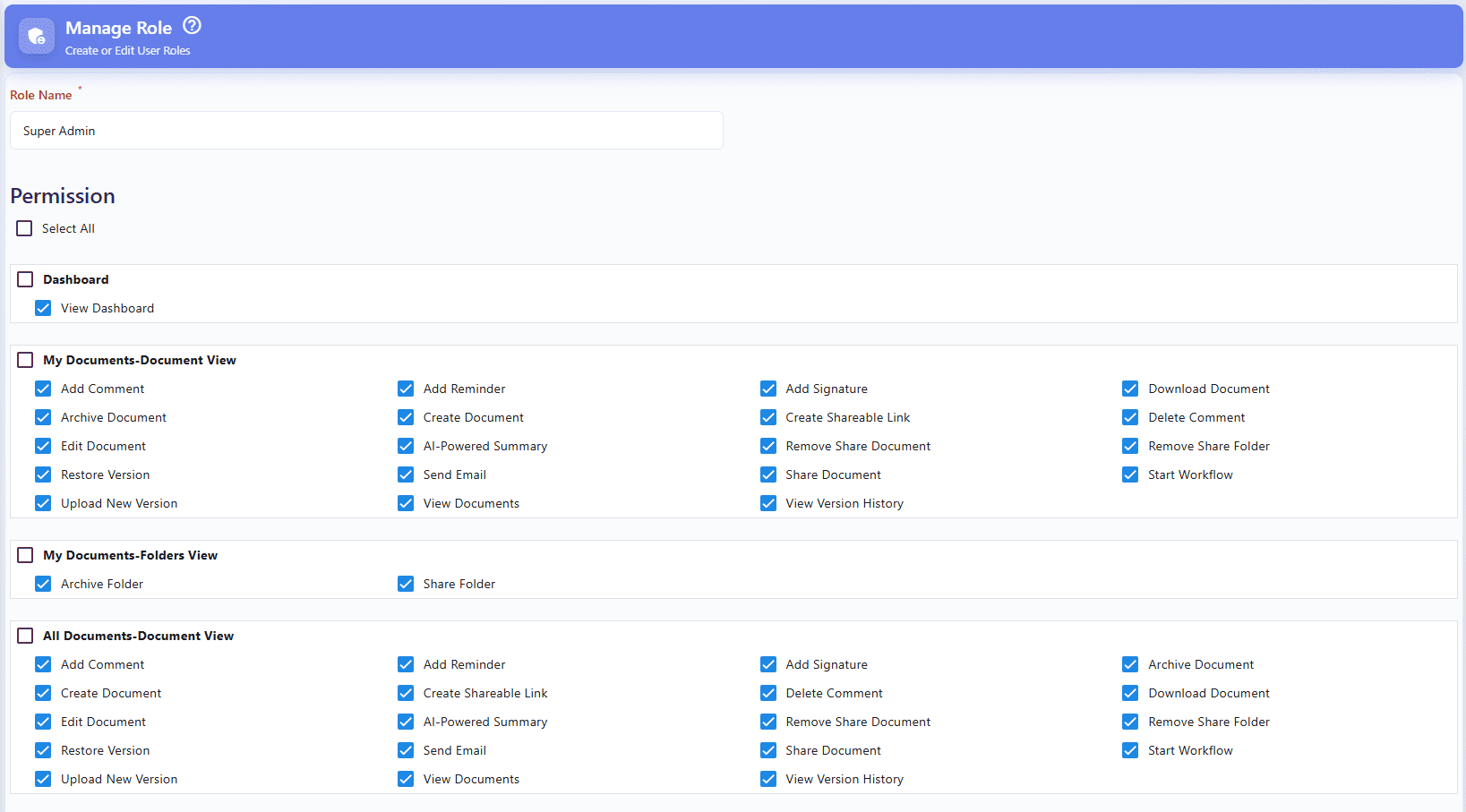
Why it matters:
Role-Based Access Control (RBAC) ensures that document visibility and editing rights are strictly governed by an employee's specific job function (e.g., "HR Director" vs. "Junior Analyst"), operating on the principle of least privilege.
What happens without it:
Sensitive data is exposed. Without RBAC, granting access is done on an ad-hoc, individual basis, inevitably leading to human error where unauthorized staff gain access to confidential payroll data or proprietary trade secrets.
Which businesses benefit most:
Enterprise-scale organizations with complex department structures, where employee onboarding, offboarding, and role changes happen daily.
Implementation considerations & trade-offs:
Setting up RBAC requires deep initial planning. Administrators must map out the entire organizational hierarchy and define roles accurately before migrating files. Poor initial role design leads to IT bottlenecks where employees constantly have to request access to files they need for their daily work.
6. Secure Document Sharing
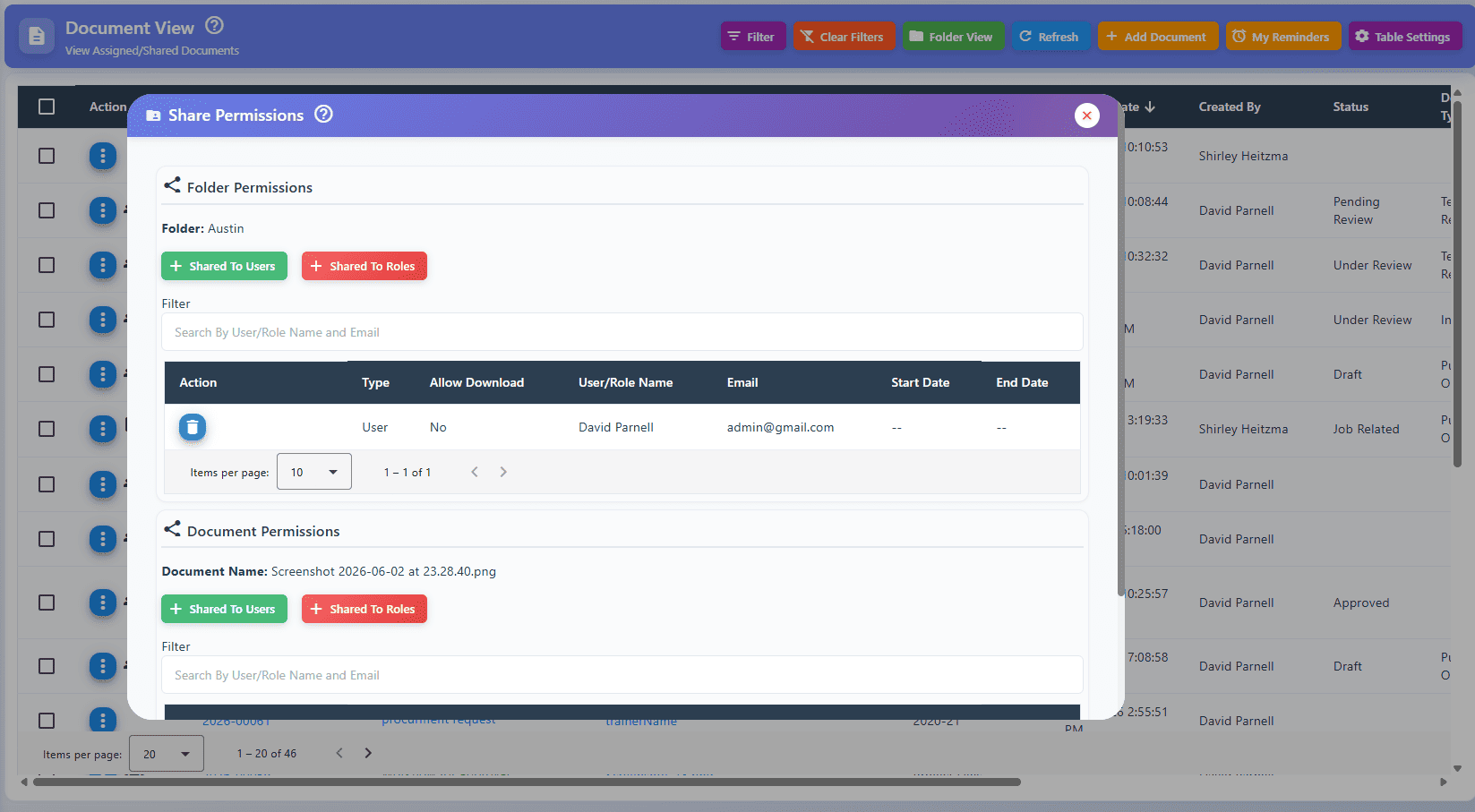
Why it matters:
Secure Document Sharing replaces vulnerable email attachments with encrypted, trackable web links. It allows administrators to enforce expiration dates, require passwords, and restrict downloading or printing.
What happens without it:
Once a file is emailed as an attachment, the organization loses all control over that data. It can be forwarded, saved to personal devices, or stolen, drastically increasing the risk of data breaches.
Which businesses benefit most:
B2B service providers, legal teams, and agencies that frequently collaborate with external clients, vendors, or third-party contractors and need to revoke access when the project ends.
Implementation considerations & trade-offs:
Friction for external users is the main trade-off. If accessing a shared document requires the recipient to create a new account or jump through too many security hoops, it can frustrate clients and slow down external collaboration.
7. Complete Audit Trails
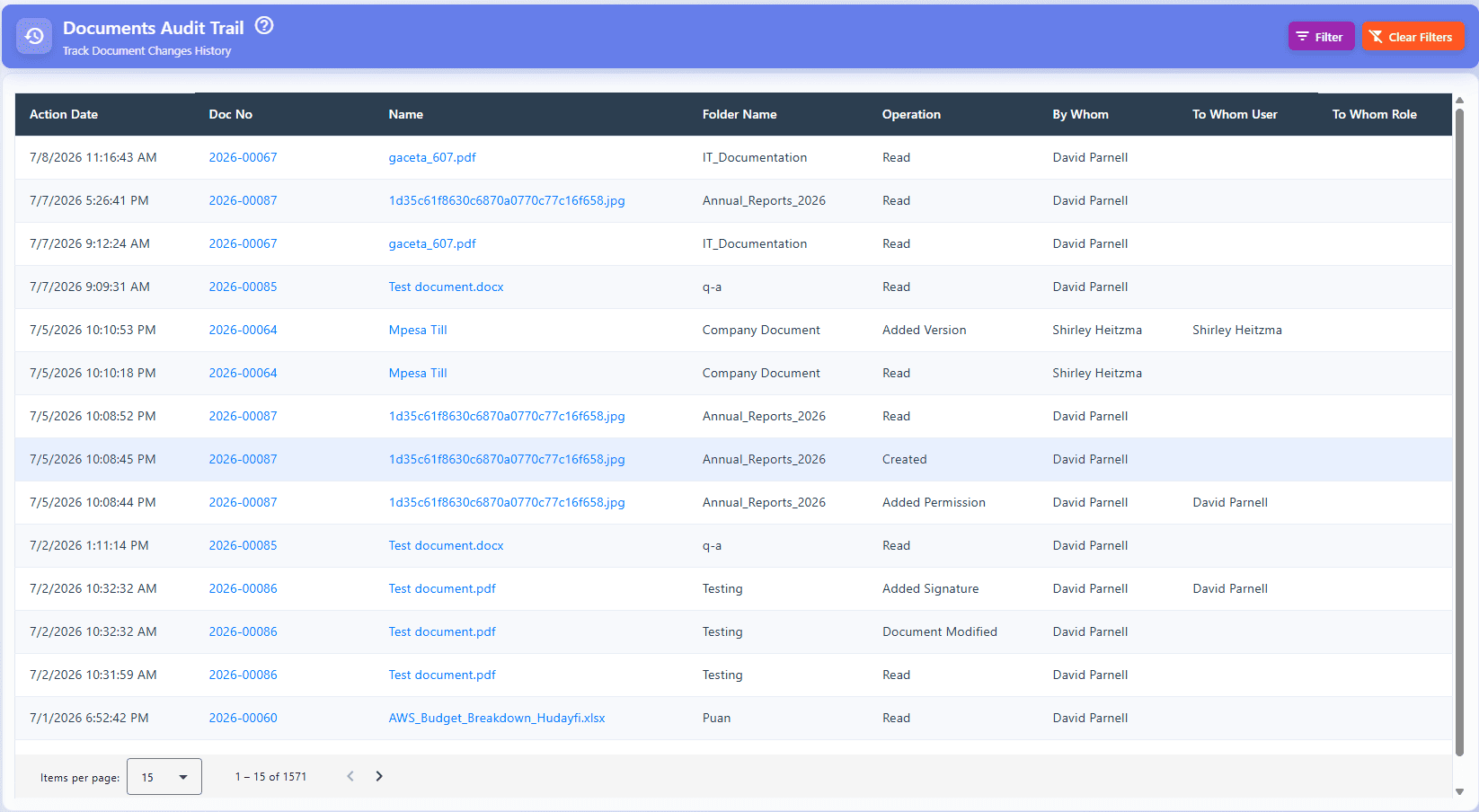
Why it matters:
Complete Audit Trails act as an indisputable digital ledger, permanently recording every single action (view, edit, download, share) performed on a document throughout its entire lifecycle.
What happens without it:
Investigating a data leak or unauthorized edit becomes a guessing game. During a compliance audit, the organization cannot prove who interacted with a specific legal or financial record.
Which businesses benefit most:
Publicly traded companies, healthcare institutions, and organizations seeking ISO certifications that require absolute forensic transparency of data handling.
Implementation considerations & trade-offs:
Detailed audit logs generate massive amounts of backend data. Organizations must ensure their storage infrastructure is optimized to handle this continuous data generation without degrading application performance.
8. Intelligent Document Indexing
Why it matters:
Intelligent Document Indexing moves beyond rigid folder structures by tagging documents with rich, customizable metadata (e.g., vendor, date, department). This allows users to filter and cross-reference files instantly.
What happens without it:
As repositories grow to millions of files, nested folders become unmanageable labyrinths. If a file is placed in the wrong folder, it is virtually impossible to locate later.
Which businesses benefit most:
Project-based businesses like architecture firms, event management companies, and construction agencies that need to pull together diverse document types (contracts, blueprints, invoices) under a single project umbrella.
Implementation considerations & trade-offs:
Indexing is only as good as the data entered. If employees are forced to fill out 15 mandatory metadata fields for every upload, they will suffer from "tagging fatigue" and enter junk data. Automation and minimal required fields are essential for success.
9. Digital Signatures
Why it matters:
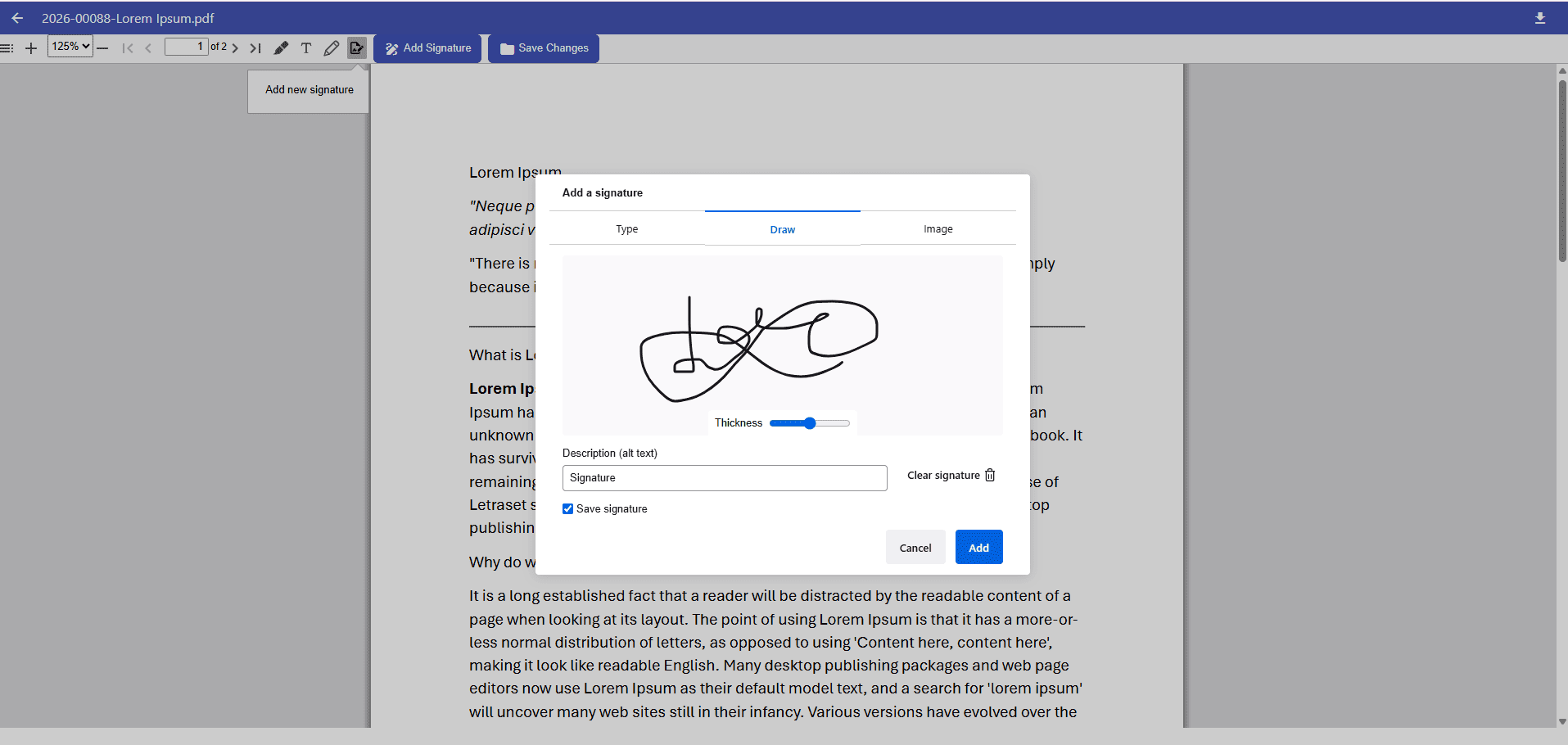
Built-in Digital Signatures allow organizations to execute agreements electronically within the platform, maintaining strict legal authenticity without breaking the digital chain of custody.
What happens without it:
The digital workflow stops entirely. Documents must be printed, physically signed, scanned, and re-uploaded, which introduces delays, costs, and risks of losing the physical paperwork.
Which businesses benefit most:
Sales teams, real estate brokerages, and HR departments that execute high volumes of binding contracts, NDAs, and onboarding agreements daily.
Implementation considerations & trade-offs:
Not all digital signatures are legally equal. Businesses must ensure the chosen EDMS complies with global frameworks like ESIGN and eIDAS, utilizing cryptographic certificates rather than just pasting an image of a signature onto a PDF.
10. Built-in Document Preview
Why it matters:
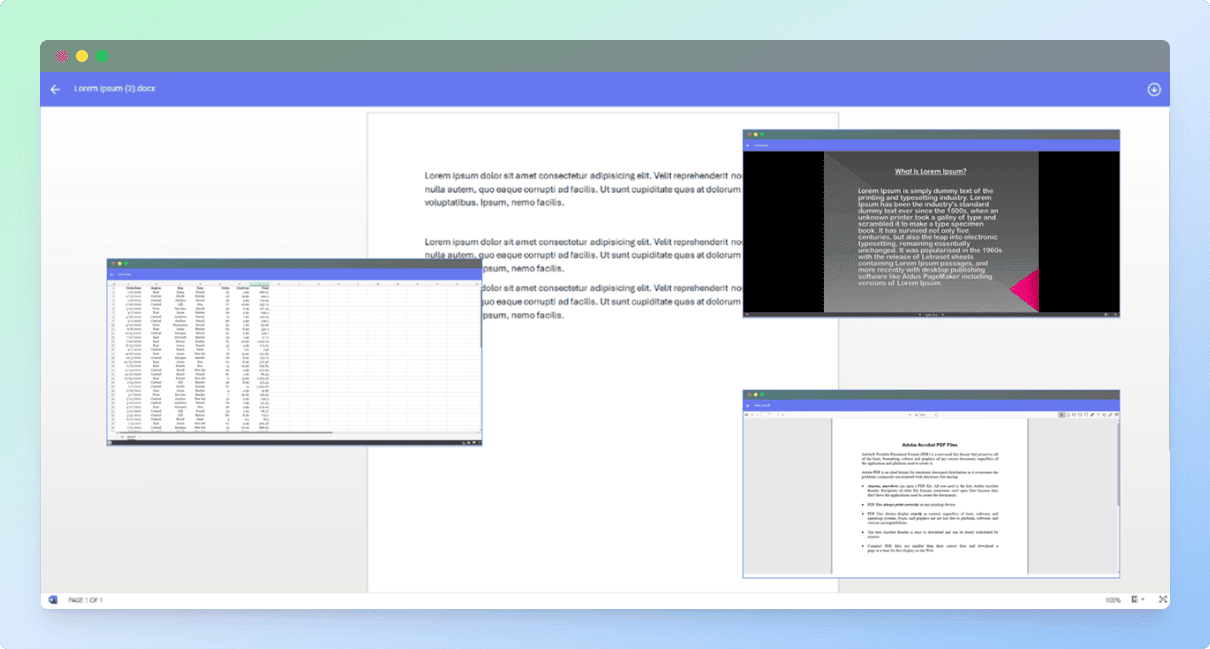
A Built-in Document Preview allows users to instantly inspect files—including PDFs, spreadsheets, and CAD drawings—natively within their web browser without needing the original software installed.
What happens without it:
Employees are forced to download every file just to check its contents. This clogs local hard drives with unmanaged corporate data (shadow IT) and severely slows down the review process.
Which businesses benefit most:
Media agencies, engineering firms, and marketing teams that handle heavy, diverse file formats and need to quickly scan through assets before committing to a massive download.
Implementation considerations & trade-offs:
Rendering complex, proprietary file types (like heavy 3D engineering models or massive datasets) in a browser can consume heavy local RAM. The viewer needs to be highly optimized to prevent crashing the user's browser.
11. Cloud Storage Integration
Why it matters:
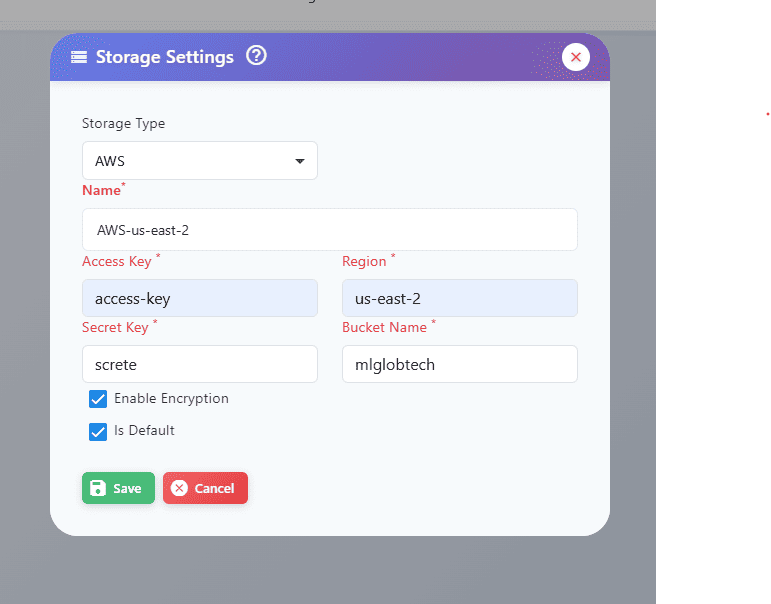
Cloud Storage Integration bridges the gap between software capabilities and backend infrastructure, allowing businesses to scale storage capacity infinitely on demand.
What happens without it:
On-premise servers eventually run out of space. IT teams are forced into expensive hardware upgrades, and the organization remains vulnerable to localized hardware failures or physical disasters.
Which businesses benefit most:
Fast-growing enterprises and global corporations that require high availability, disaster recovery redundancy, and the ability to scale infrastructure costs precisely with their actual usage.
Implementation considerations & trade-offs:
Relying entirely on third-party cloud storage introduces data sovereignty considerations. Businesses must ensure their cloud provider's server locations comply with local data localization laws (such as GDPR in Europe).
12. Bulk Document Upload
Why it matters:
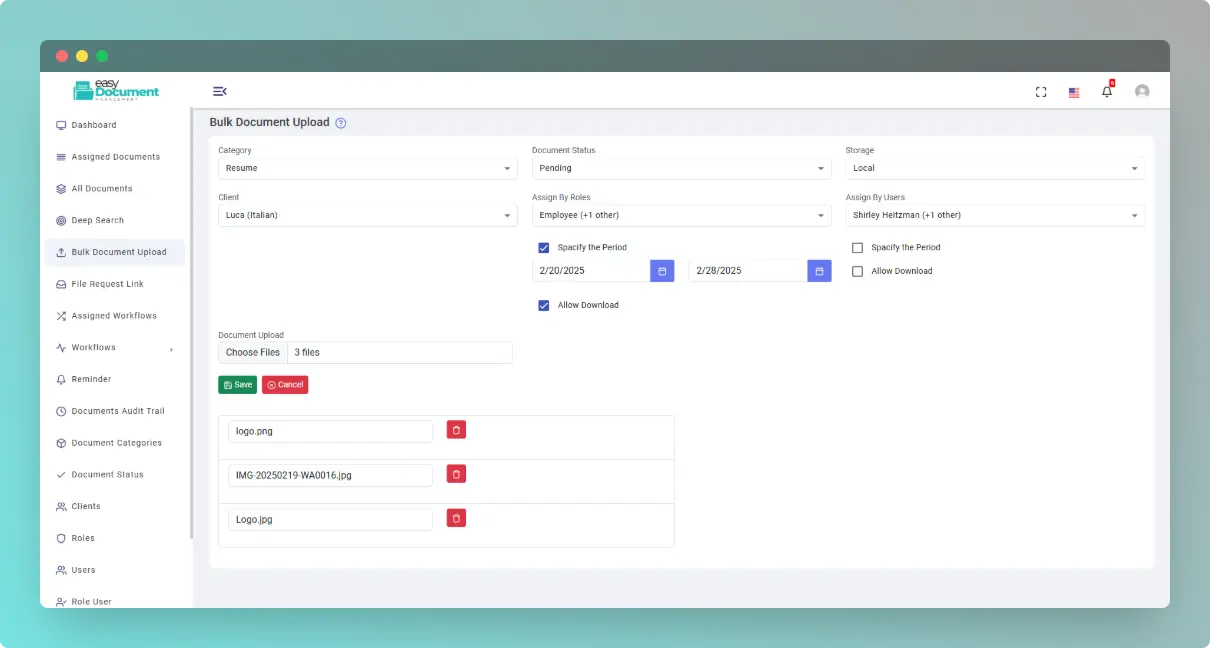
Bulk Document Upload capabilities allow IT administrators to migrate massive historical archives in a single operation, automatically mapping existing folder hierarchies and metadata.
What happens without it:
System migrations take months instead of days. Forcing administrators to upload and categorize files individually is a massive drain on resources and halts digital transformation initiatives.
Which businesses benefit most:
Organizations transitioning from legacy on-premise file servers (like old Windows shared drives) to a modern, centralized cloud EDMS for the first time.
Implementation considerations & trade-offs:
Bulk uploads require immense network bandwidth. Running a massive migration during peak business hours can throttle the company's internet speed. Migrations must be carefully scheduled for weekends or overnight maintenance windows.
13. Document Archiving & Retention
Why it matters:
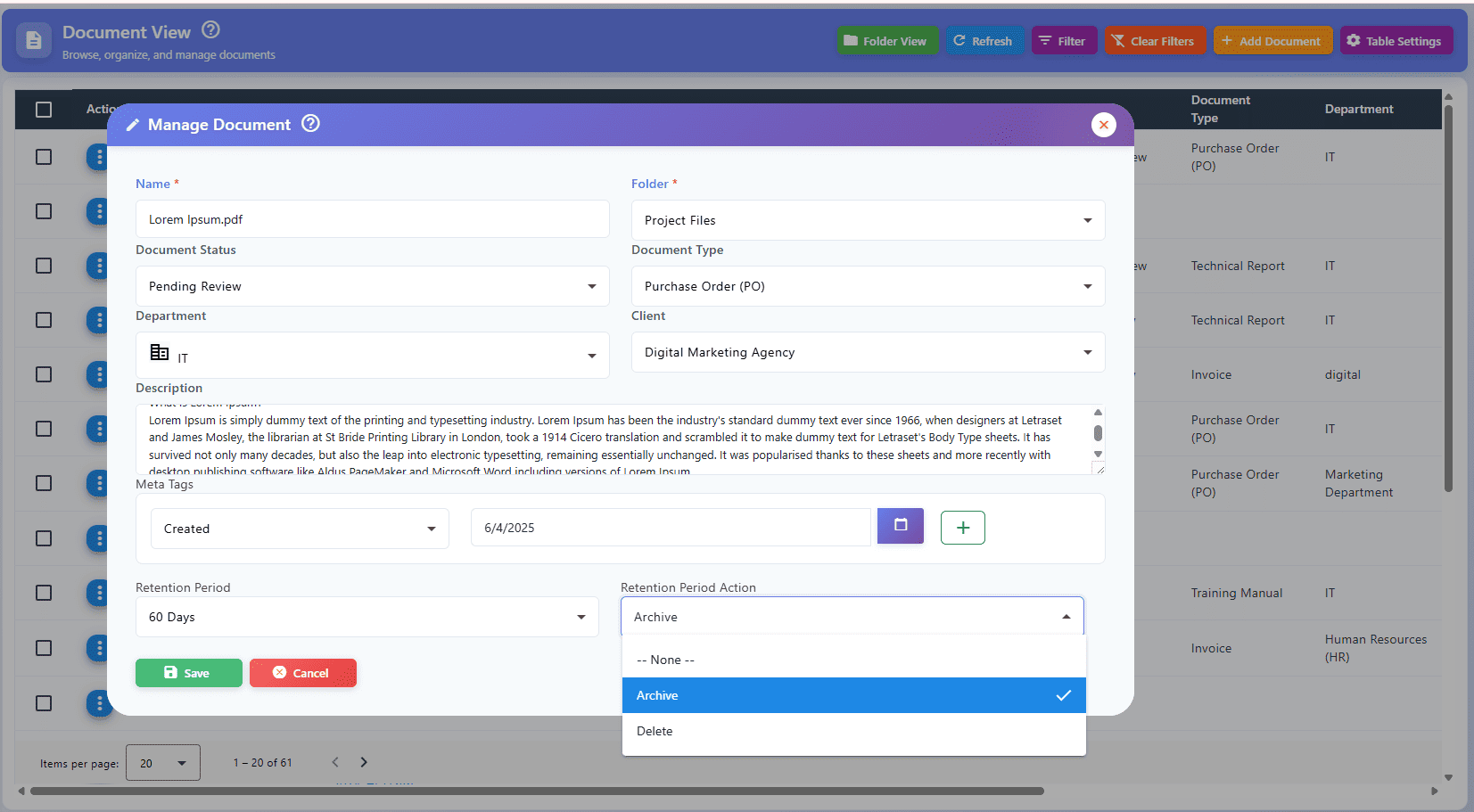
Strict Document Archiving & Retention policies automate the lifecycle of a file. It guarantees critical records are kept for the exact duration mandated by law, and securely destroyed when that period expires.
What happens without it:
Digital hoarding creates severe legal liabilities. If an organization retains sensitive documents longer than legally required, those documents can be discovered and used against the company during unexpected litigation.
Which businesses benefit most:
Healthcare providers, financial institutions, and government contractors who face strict regulatory penalties for both premature deletion and illegal over-retention of records.
Implementation considerations & trade-offs:
Automated deletion rules are inherently risky if misconfigured. Organizations must implement "Legal Hold" overrides so that files currently involved in active audits or lawsuits are quarantined and protected from automated destruction.
14. Automated Notifications & Reminders
Why it matters:
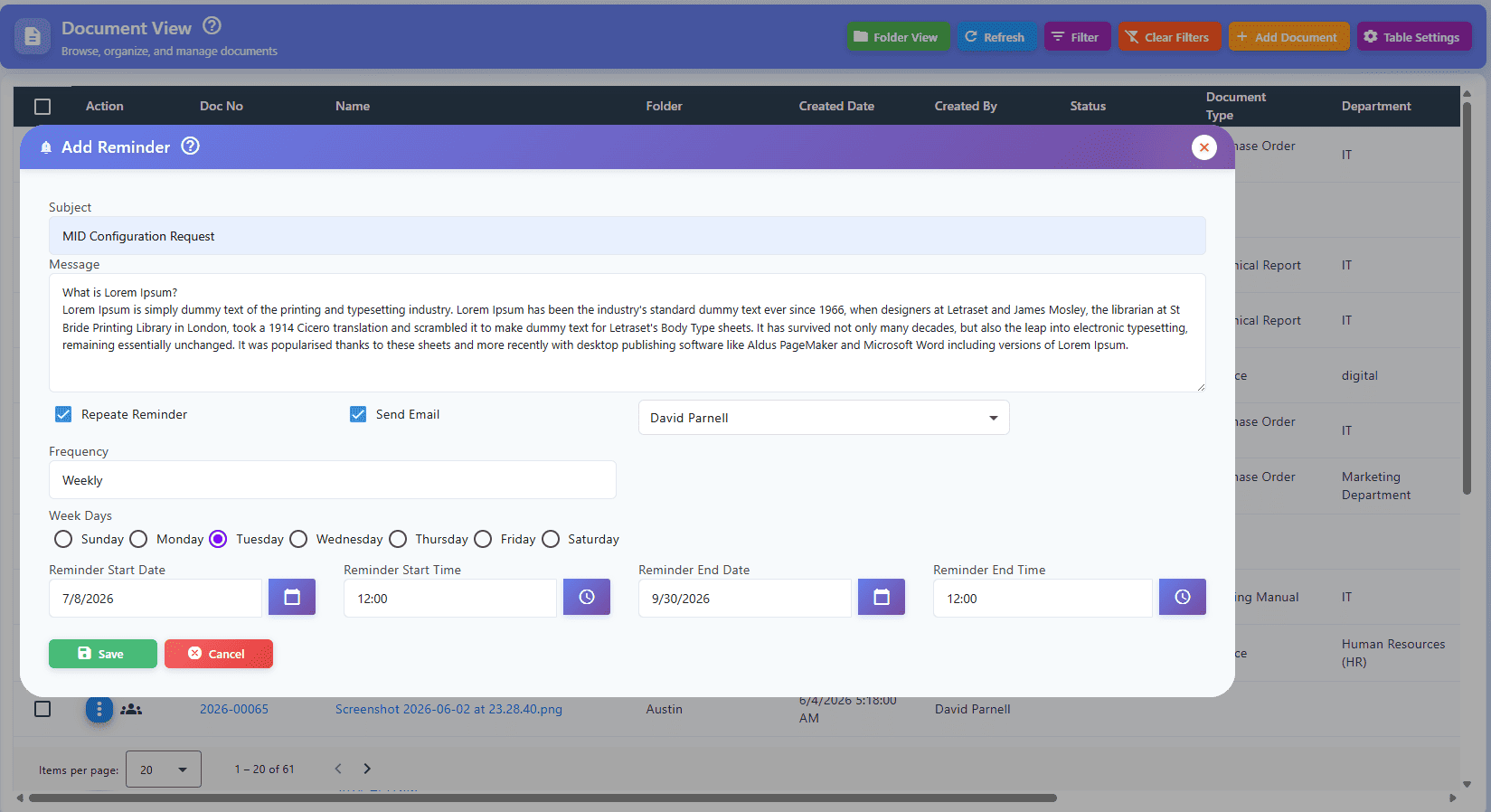
Automated Notifications & Reminders transform a passive repository into a proactive operational tool, automatically pinging stakeholders when a contract is expiring or an approval is overdue.
What happens without it:
Critical deadlines are missed. Expired vendor certifications go unnoticed, auto-renewing contracts cost the business unnecessary money, and compliance reviews fall dangerously behind schedule.
Which businesses benefit most:
Procurement departments, compliance officers, and real estate managers who manage hundreds of active contracts, leases, and licenses with strict, staggered renewal dates.
Implementation considerations & trade-offs:
Notification fatigue is a serious risk. If the system emails employees for every minor update, users will create inbox filters to ignore them entirely. Alerts must be highly configurable so they only trigger for critical, actionable events.
15. Enterprise Security & Compliance
Why it matters:
Enterprise Security & Compliance serves as the foundational architecture of the platform, utilizing data encryption (at rest and in transit), Multi-Factor Authentication (MFA), and zero-trust frameworks to protect trade secrets.
What happens without it:
The repository becomes the most vulnerable point in your IT infrastructure. A single compromised password can lead to a catastrophic breach of confidential employee data and intellectual property.
Which businesses benefit most:
Every enterprise organization. However, defense contractors, financial services, and healthcare providers simply cannot legally operate without institutional-grade security frameworks like SOC 2 and ISO 27001.
Implementation considerations & trade-offs:
Maximum security often directly competes with user convenience. Enforcing strict MFA, aggressive session timeouts, and complex password rotations adds friction to the daily login experience. Organizations must carefully balance rigorous security protocols with smooth employee usability to prevent workflow disruptions.
Final Thoughts: Moving from File Storage to Operational Intelligence
Upgrading to an Enterprise Document Management System is no longer just an IT infrastructure project; it is a fundamental shift in how your business operates.
Relying on fragmented shared drives, physical filing cabinets, and email attachments creates invisible bottlenecks that slowly drain organizational efficiency and introduce severe compliance risks. A modern EDMS transforms those passive files into an active, secure, and intelligent ecosystem.
By prioritizing features like AI-assisted search, strict version control, automated workflows, and zero-trust security architecture, you aren't just storing documents—you are protecting your intellectual property, empowering your employees, and future-proofing your business against regulatory audits.
As you evaluate platforms, rely on the 15 features outlined above as your baseline. Consider the trade-offs, map out your internal workflows, and prioritize the capabilities that align with your most urgent operational bottlenecks.
Ready to modernize your document infrastructure?
If your organization is looking for a comprehensive platform that integrates all 15 of these essential enterprise features into a single, highly secure environment, we can help. Explore EasyDocMgt’s enterprise capabilities or schedule a technical consultation with our deployment team to see the platform in action.

Frequently Asked Questions (FAQs)
What is the difference between a Document Management System (DMS) and Enterprise Content Management (ECM)?
While the terms are often used interchangeably, a Document Management System (DMS) focuses primarily on the lifecycle of structured files—tracking versions, managing approvals, and securely storing PDFs, Word docs, and CAD files. Enterprise Content Management (ECM) is a broader term that encompasses a DMS but also manages unstructured content, such as web pages, social media records, and rich media assets.
How long does it take to implement an Enterprise Document Management System?
Implementation timelines vary heavily based on the size of your organization and the state of your legacy data. A mid-sized business rolling out a cloud-based EDMS with clean data can deploy in 4 to 8 weeks. However, large enterprises requiring complex workflow mapping, custom API integrations, and the bulk migration of millions of poorly indexed legacy files should plan for a phased rollout lasting 3 to 6 months.
Is a cloud-based document management system safer than on-premise servers?
In most cases, yes. While some highly regulated defense or intelligence contractors require "air-gapped" on-premise servers, modern cloud storage providers (like AWS, Google Cloud, and Azure) invest billions in cybersecurity. A cloud-based EDMS typically offers superior disaster recovery, automated security patching, and enterprise-grade encryption that is exceptionally difficult and expensive for a single company to replicate in an on-premise server room.
How does an EDMS help with regulatory compliance?
An EDMS automates the strict administrative controls required by frameworks like HIPAA, GDPR, ISO 9001, and SOC 2. It ensures compliance by enforcing role-based access controls (ensuring only authorized personnel view sensitive data), maintaining an unalterable audit trail of every document interaction, and automatically applying retention policies so documents are legally destroyed when their mandate expires.
What is the true cost of an Enterprise Document Management System?
Pricing models vary by vendor. Most modern EDMS platforms use a SaaS (Software as a Service) model, charging a monthly or annual subscription based on the number of user licenses and total storage volume. When calculating your budget, be sure to factor in the total cost of ownership (TCO), which includes the software subscription, the initial implementation and data migration costs, and ongoing employee training.