Digital Document Signatures: Secure PDF Signing with Complete Version History

ML GLOBTECH
Jul 9, 2026
Approving business documents is an essential, high-stakes part of everyday operations. Contracts, corporate policies, financial invoices, quality manuals, and HR agreements all require strict review and authorization before they become official records.
For many organizations, this approval process still relies on "wet signatures"—printing documents, signing them by hand, scanning them back into a computer, and emailing them to the next stakeholder. Beyond being incredibly time-consuming, this approach fragments version control, delays critical business operations, and makes it nearly impossible to maintain a reliable, centralized history of document changes.
Digital Document Signatures provide a faster, legally compliant, and highly secure alternative. Backed by global regulatory frameworks like the ESIGN Act, UETA, and eIDAS, electronic signatures carry the same legal weight as a handwritten signature.
When fully integrated with an Enterprise Document Management System (EDMS), digital signatures transform from a simple convenience tool into a core component of enterprise document governance—combining workflow automation, strict version control, and comprehensive audit trails.
The Risks of Traditional Document Approvals
Organizations are rapidly abandoning paper-based approval processes because traditional methods introduce severe operational bottlenecks. Manual signing routines routinely result in slow approval cycles and higher administrative costs. Worse, they create a chain of duplicate document copies circulating via email, making it nearly impossible for compliance officers to track the true approval status or locate the final, legally binding version of a file.
By transitioning to a centralized digital environment, users can review and authorize documents directly within a secure ecosystem, eliminating duplicates and ensuring a single source of truth.
What Are Digital Document Signatures?
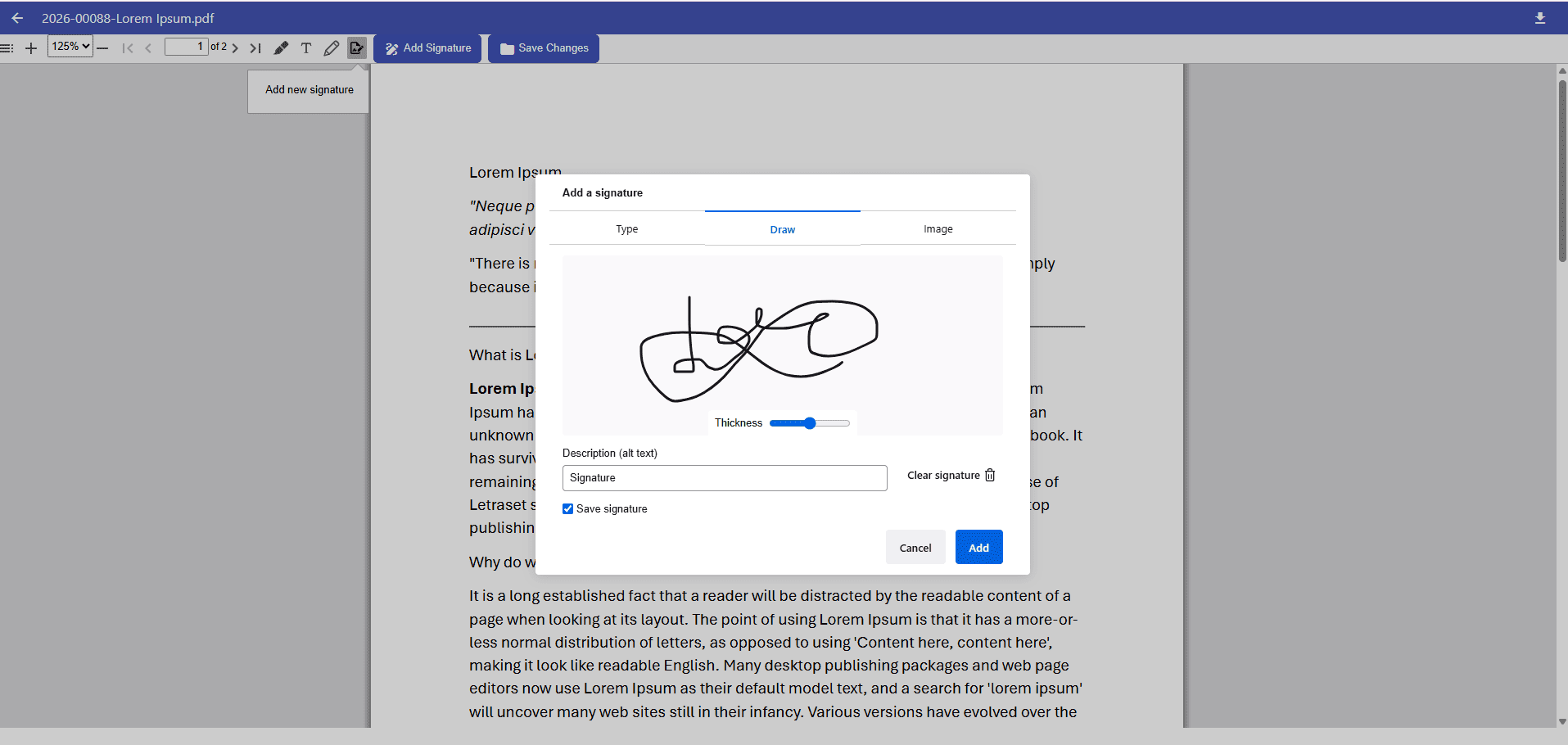
A Digital Document Signature allows users to legally and securely sign business files without the need for physical media. Unlike a traditional signature on a loose piece of paper, an enterprise digital signature becomes permanently embedded into the document’s digital history.
To achieve true enterprise-grade security, digital signatures should not exist in a vacuum. They must work in tandem with core EDMS features:
Automated Version Control
Structured Approval Workflows
Comprehensive Audit Trails
Role-Based Access Control
Key Capabilities of an Enterprise Signature Solution
A modern system must go beyond simply placing an image on a PDF. It should offer flexible, traceable, and highly secure signing features.
✍️ Multiple Ways to Sign Documents
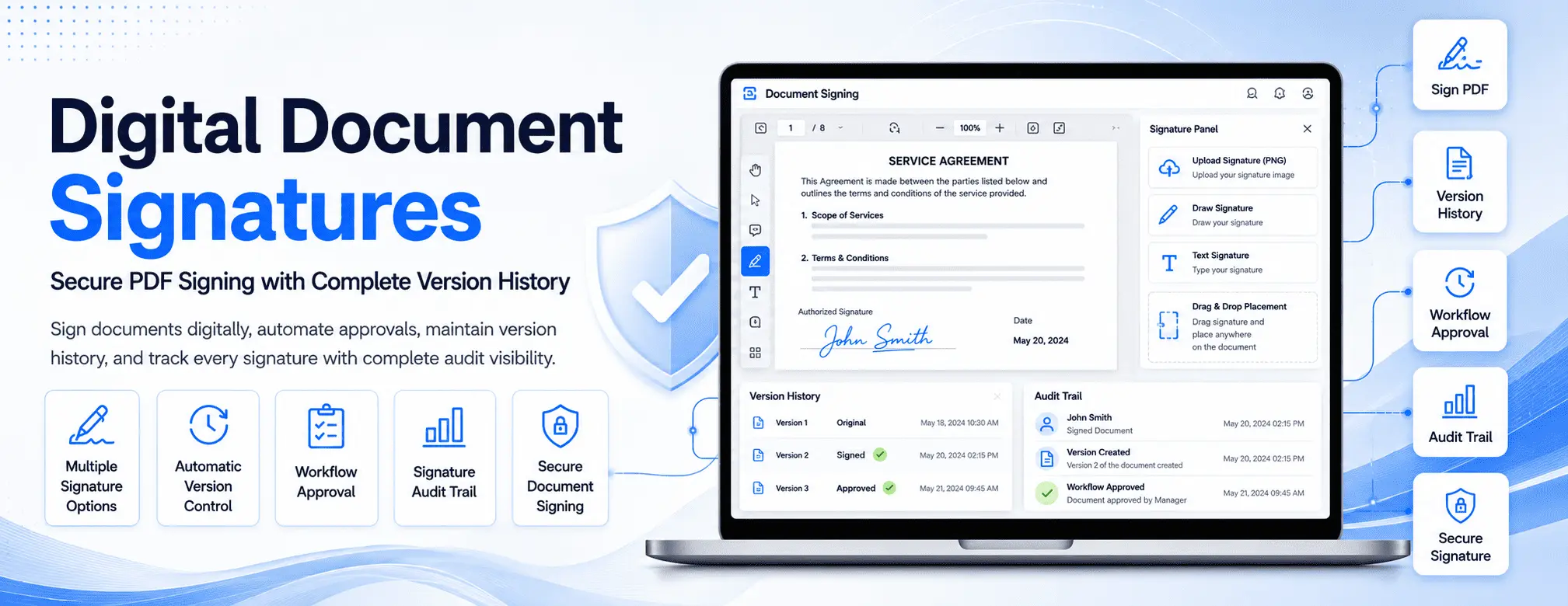
Different environments require different signing methods. A robust system provides flexible options to ensure high user adoption, allowing stakeholders to sign by uploading a transparent image (PNG) of their handwritten signature, drawing their signature directly using a mouse or touchscreen, or generating a legally compliant text-based signature. This flexibility ensures approvals can happen anywhere, on any device.
📍 Precision Signature Placement
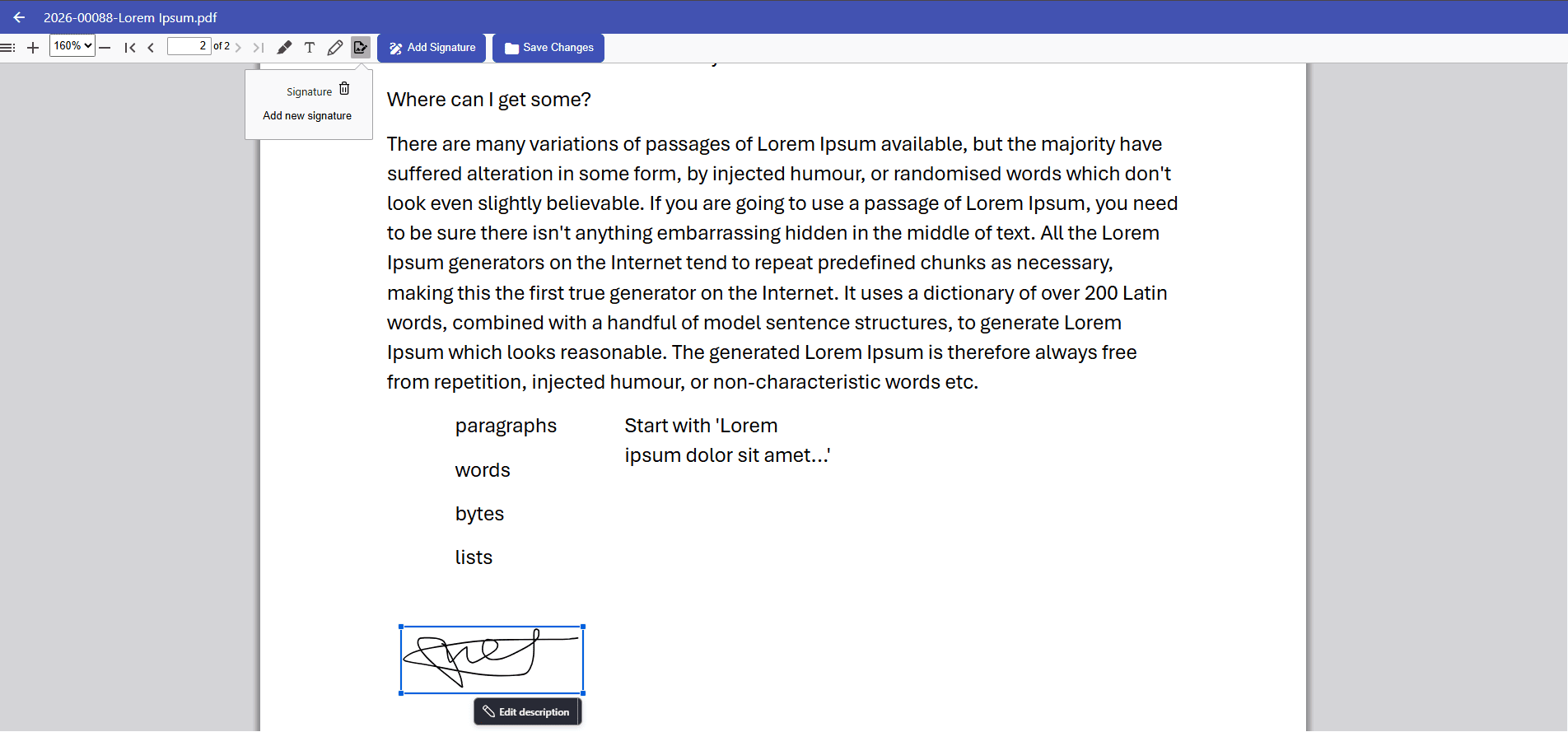
Business agreements often feature complex formatting with multiple signature fields scattered across different pages. Users require a drag-and-drop interface that allows them to position their signature exactly where it is legally required on the PDF, ensuring accurate completion and a professional final presentation.
📄 Automatic Version Creation
One of the greatest risks of manual signing is losing the pre-signed draft. In an enterprise system, applying a digital signature automatically triggers version control. The system preserves the original unsigned document and generates a newly versioned, locked copy containing the signature. This guarantees that organizations always have a complete, side-by-side revision history to compare against.
📊 Comprehensive Signature Audit Trails
A signature is only as valuable as the evidence backing it. For heavily regulated documents, the system must automatically generate a background audit trail capturing the exact identity of the signer, the precise timestamp, and the specific document version that was authorized. This immutable record is critical for passing internal compliance reviews and external regulatory audits.
🔄 Integration with Approval Workflows
A signature is rarely an isolated event; it is usually the final step in a broader business process. Digital signatures must integrate directly into automated workflows (e.g., Draft → Department Review → Manager Approval → Digital Signature → Published). This ensures no document is finalized or distributed until every required stakeholder has officially signed off.
♻️ Historical Version Restoration
Business environments are dynamic. A signed policy may require an amendment a year later, or a contract may need to be renegotiated. A well-designed system preserves every historical, signed version of a file rather than overwriting it, allowing administrators to restore or reference past agreements with total confidence.
Best Practices for Digital Document Signatures
To maximize the legal and operational value of your digital signatures, implement these standard operating procedures:
Standardize Your Workflows: Map out strict, automated routing paths for critical document types so signatures are requested in the correct chronological order.
Restrict Signing Permissions: Use role-based access control to ensure only authorized personnel can apply binding signatures to specific folder categories.
Never Overwrite Files: Always utilize automated version control to preserve the unsigned original alongside the signed final copy.
Audit Routinely: Regularly review your signature audit trails to ensure compliance with internal governance policies.
Frequently Asked Questions
Can I sign PDF documents electronically?
Yes. Modern document management systems allow users to securely sign PDF documents natively without printing, scanning, or using third-party applications.
Are digital document signatures legally binding?
Yes. When implemented correctly with proper audit trails and user authentication, digital signatures comply with major global frameworks like the ESIGN Act and eIDAS, making them legally equivalent to handwritten signatures.
Does signing a document create a new file version?
In an enterprise system, yes. The software will automatically create a new, locked version of the document upon signing, safely archiving the previous versions to maintain a flawless revision history.
Can digital signatures trigger the next step in a workflow?
Absolutely. Signatures can act as workflow gates, meaning a document will automatically route to the next department or be published to the wider company the moment the required signature is applied.
Final Thoughts
Digital document signatures are far more than a simple replacement for pen and paper. When fully integrated with automated version control, structured workflows, and tamper-proof audit trails, they become the engine driving secure, efficient enterprise document management.
Organizations that modernize their signing processes eliminate administrative bottlenecks, drastically reduce paperwork, and maintain total visibility into their compliance history. Stop letting manual approvals slow down your operations. Explore our Enterprise Document Management System to integrate secure digital signatures into your automated business workflows today.