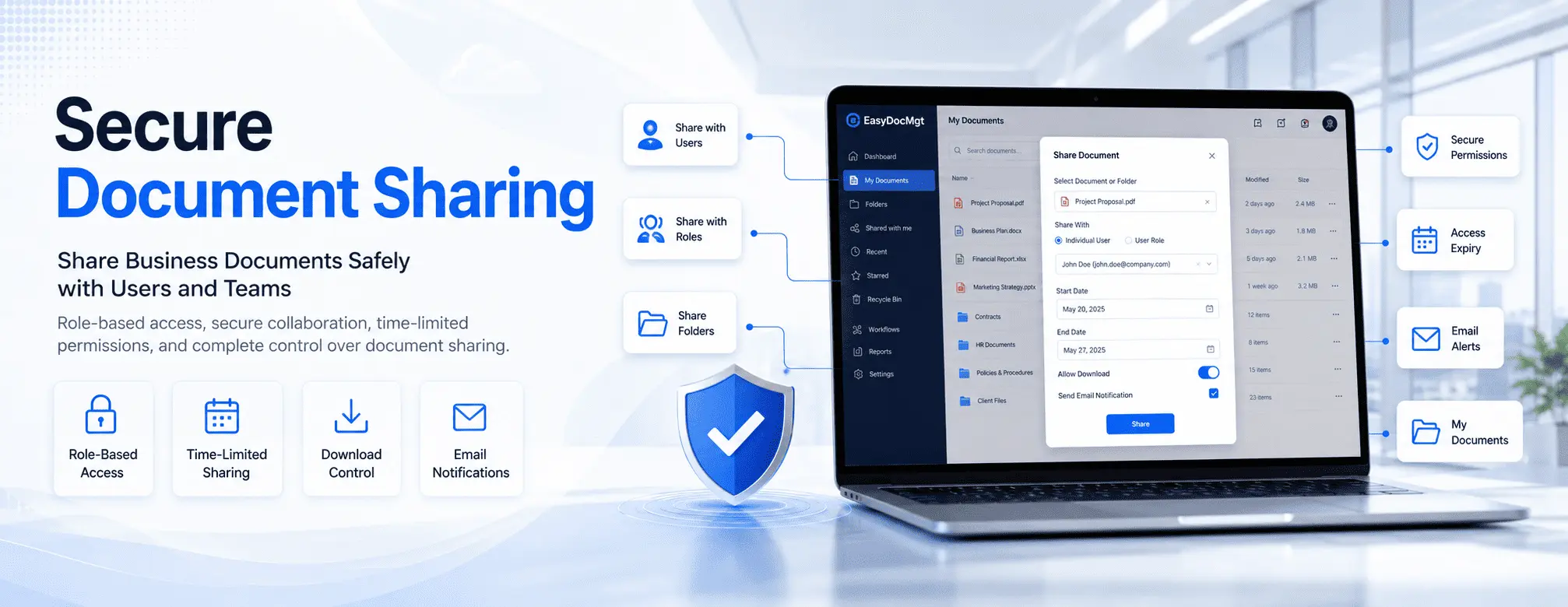
Secure Document Sharing: How to Share Business Documents Safely with Users and Teams

ML GLOBTECH
Jul 8, 2026
Sharing documents is a foundational part of daily business operations. Contracts, invoices, HR policies, ISO quality manuals, engineering drawings, and project files are constantly exchanging hands between employees, departments, customers, and partners.
However, according to cybersecurity reports, improperly secured cloud links and email attachments are leading causes of data leaks. While traditional sharing methods are convenient, they lack the robust access controls and data compliance protocols modern businesses require. Once a file is sent via email, it can be downloaded, forwarded, duplicated, or accessed long after its relevance has passed. This creates massive security risks, version control confusion, and significant hurdles for audit readiness.
A modern Enterprise Document Management System (EDMS) solves these critical vulnerabilities. By providing secure document sharing with centralized access, role-based permissions, download controls, and time-limited viewing, an EDMS transforms how organizations handle data.
In this educational guide, we will explore why secure document sharing is essential for organizational security, the core features you need to maintain a "single source of truth," and how systems like EasyDocMgt help businesses collaborate efficiently while remaining fully compliant with frameworks like ISO 27001 and GDPR.
Why Traditional Document Sharing Falls Short
Many organizations still rely on email attachments, consumer-grade messaging apps, USB drives, or public cloud links to exchange confidential business documents. Although these methods are simple to use, they introduce several operational and security bottlenecks:
Multiple Duplicate Files: Creating redundant copies of the same document across different local drives.
Version Control Failures: Outdated versions circulating between teams, leading to costly errors.
Unauthorized Distribution: Inability to prevent users from forwarding sensitive files to third parties.
No Download Restrictions: Zero control over who can save a permanent copy of a file to their personal device.
Poor Audit Trails: Limited visibility into who viewed, modified, or shared a document and when.
As businesses scale and face stricter regulatory requirements, these vulnerabilities become incredibly difficult to manage.
What Is Secure Document Sharing?
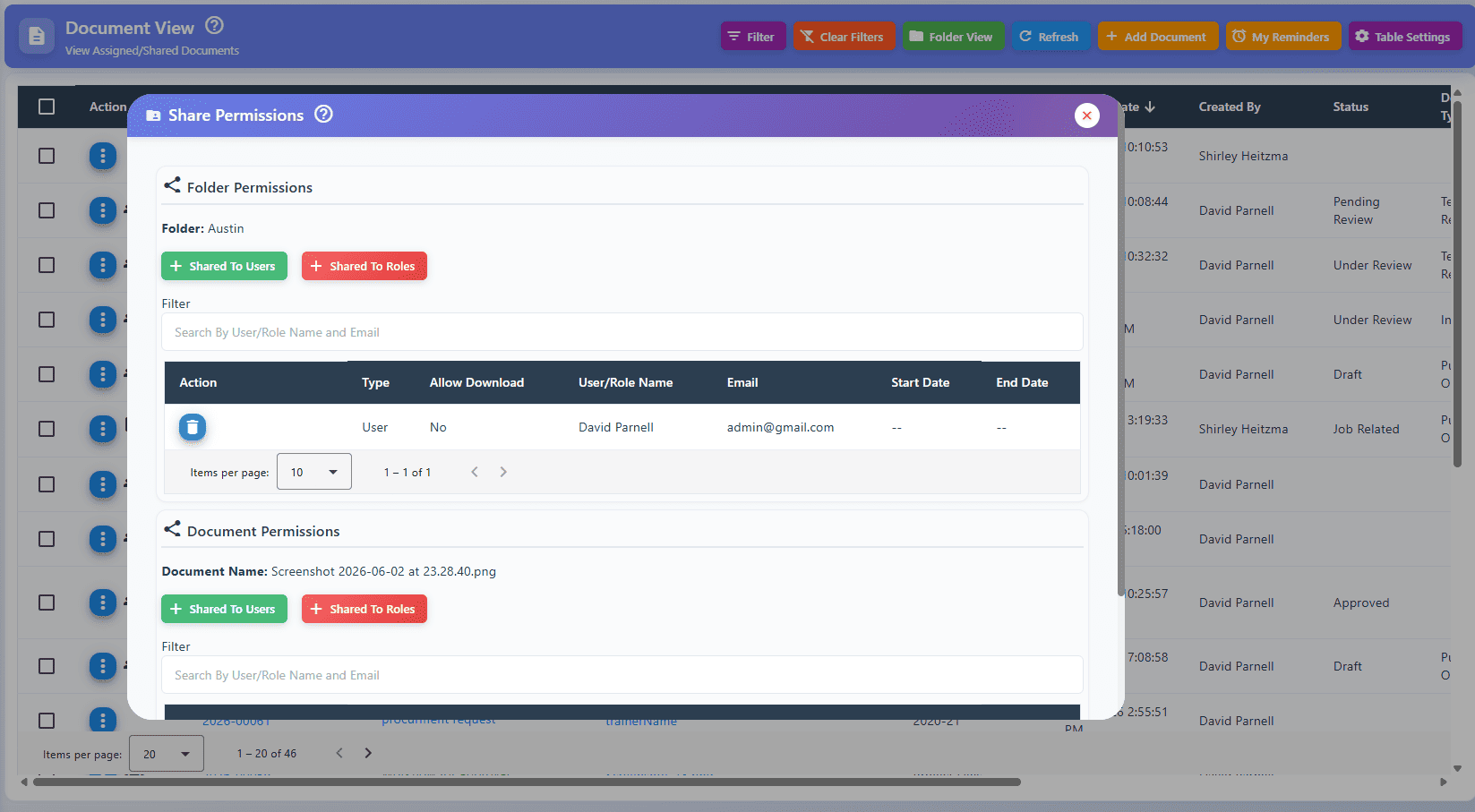
Secure document sharing is the capability to distribute documents or folders to authorized internal and external users while maintaining granular control over who can access them, how long they can access them, and what specific actions they can perform.
Instead of sending static, easily compromised copies of documents into the void, users are granted access to the latest, live version directly within a secure Document Management System. This approach creates a single source of truth, significantly improving enterprise file sync and share (EFSS) workflows while neutralizing security threats.
Key Features of Enterprise Document Access Control
To maintain tight security without sacrificing productivity, a proper enterprise platform should include the following capabilities:
👤 Share Documents with Individual Users
Often, highly sensitive documents need to be isolated to specific individuals rather than broadcasted to an entire department. Whether reviewing an employment contract, an active CAPA (Corrective and Preventive Action) report, or a confidential financial disclosure, administrators must be able to grant strict one-to-one access.
Business Benefit: Guarantees absolute confidentiality, eliminates document duplication, and secures sensitive one-on-one collaboration.
👥 Share Documents via User Roles
Enterprise collaboration usually involves entire teams rather than isolated individuals. Instead of manually sharing files user-by-user, administrators can assign documents to predefined organizational roles, such as:
Human Resources
Finance and Accounting
Sales and Marketing
Quality Assurance and Auditors
Project Management
When new employees are onboarded and assigned a specific role, they instantly inherit access to all relevant department documentation.
Business Benefit: Radically simplifies permission management and ensures the right stakeholders always have the exact information they need to perform their duties.
📁 Share Entire Folders and Workspaces
Complex projects naturally generate dozens of related documents. Instead of managing permissions for each file individually, administrators can securely share a master folder. This is heavily utilized for managing customer projects, comprehensive quality manuals, construction blueprints, and legal case files.
Business Benefit: Accelerates collaboration, reduces administrative overhead, and keeps project data perfectly organized.
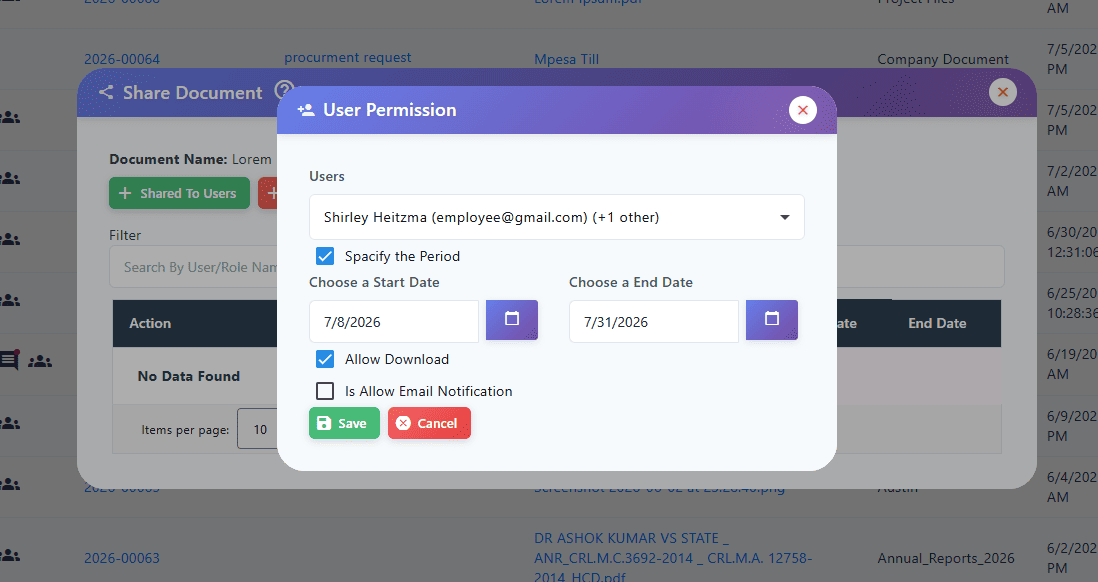
📅 Set Access Start and End Dates (Automated Expiry)
Not every document should remain accessible in perpetuity. A critical feature for audit compliance is the ability to dictate exact Start and End Dates for shared access. For example, if an external auditor or supplier needs to review a compliance framework, they can be granted access strictly from July 1st to July 31st. Once the deadline passes, access is automatically revoked.
Business Benefit: Facilitates secure temporary access, eliminates the need for manual cleanup, and drastically reduces long-term data exposure.
⬇️ Granular Download Permissions
There is a massive security difference between viewing a document and downloading it. Certain proprietary files should only be read within the secure system environment. Advanced download controls empower administrators to restrict user rights to either "View Only" or "View and Download."
Business Benefit: Adds an essential layer of protection for intellectual property and confidential business strategies.
📧 Automated Email Notifications
System automation removes the friction of manual follow-ups. When a document or workspace is securely shared, the system should automatically dispatch an email notification to the recipient, ensuring immediate visibility and action.
Business Benefit: Streamlines communication and accelerates project timelines.
📂 "My Documents": A Centralized Workspace
Security should not come at the expense of usability. A unified workspace gives employees a single, organized dashboard where they can instantly locate files they have created, documents shared directly with them, and team folders they have permission to access.
Business Benefit: Eliminates time wasted searching for lost files and ensures a clean, intuitive user experience.
How an EDMS Secures Collaboration: The EasyDocMgt Approach
Implementing a structured system like EasyDocMgt shifts an organization from chaotic file sharing to controlled, enterprise-grade document governance. Designed to meet strict compliance and workflow standards, EasyDocMgt ensures organizations can seamlessly:
Deploy targeted sharing for individuals, roles, and entire folders.
Enforce automated access expiry dates for temporary contractors or auditors.
Restrict downloads to protect proprietary data.
Trigger automated notifications to keep workflows moving.
Provide a centralized, highly organized workspace for every user.
By combining these sharing protocols with robust audit trails and automated version control, EasyDocMgt allows businesses to collaborate with total confidence.
Best Practices for Secure Document Sharing
To maximize both operational efficiency and data security, organizations should implement these standard operating procedures:
Adopt the Principle of Least Privilege: Share documents only with the specific users or roles that absolutely require them.
Enforce Expiry Dates: Always use automated access cut-offs for temporary projects or external consultants.
Lock Down Confidential Data: Restrict download permissions for sensitive IP, financial records, and employee data.
Audit Permissions Routinely: Regularly review user roles and access logs to ensure they align with current staffing and project phases.
Abandon Email Attachments: Route all critical document collaboration through a centralized Document Management System to maintain a single source of truth.
Frequently Asked Questions
Can I share a document with only one specific employee?
Yes. Enterprise Document Management Systems allow administrators to bypass broad team permissions and securely share documents directly with a single authorized user.
Can I share an entire folder of related documents?
Absolutely. Sharing master folders is standard practice for complex projects, ensuring all related files are instantly available to the assigned team without sharing each file manually.
Can I limit how long external users can access shared documents?
Yes. By configuring specific access start and end dates, administrators can ensure that permissions automatically expire the moment a contract or project concludes.
Can users be prevented from downloading sensitive documents?
Yes. Advanced systems allow you to assign "View Only" rights, ensuring the recipient can read the document within the platform but cannot save a local copy to their device.
Where do users find the documents that have been shared with them?
Within a modern EDMS, users simply log in to their personalized dashboard (such as a "My Documents" workspace) to view a consolidated list of their own files and any documents securely shared with them.
Secure document sharing is no longer just an IT convenience—it is a critical requirement for regulatory compliance and enterprise security. Protect your sensitive data, streamline your workflows, and take complete control over your business intelligence today.